Video transcription for every platform

Turn any video into text you can use

Accurate transcripts in minutes. Edit, clean up, and export in the format you need.

Built for creators, marketers, and researchers.

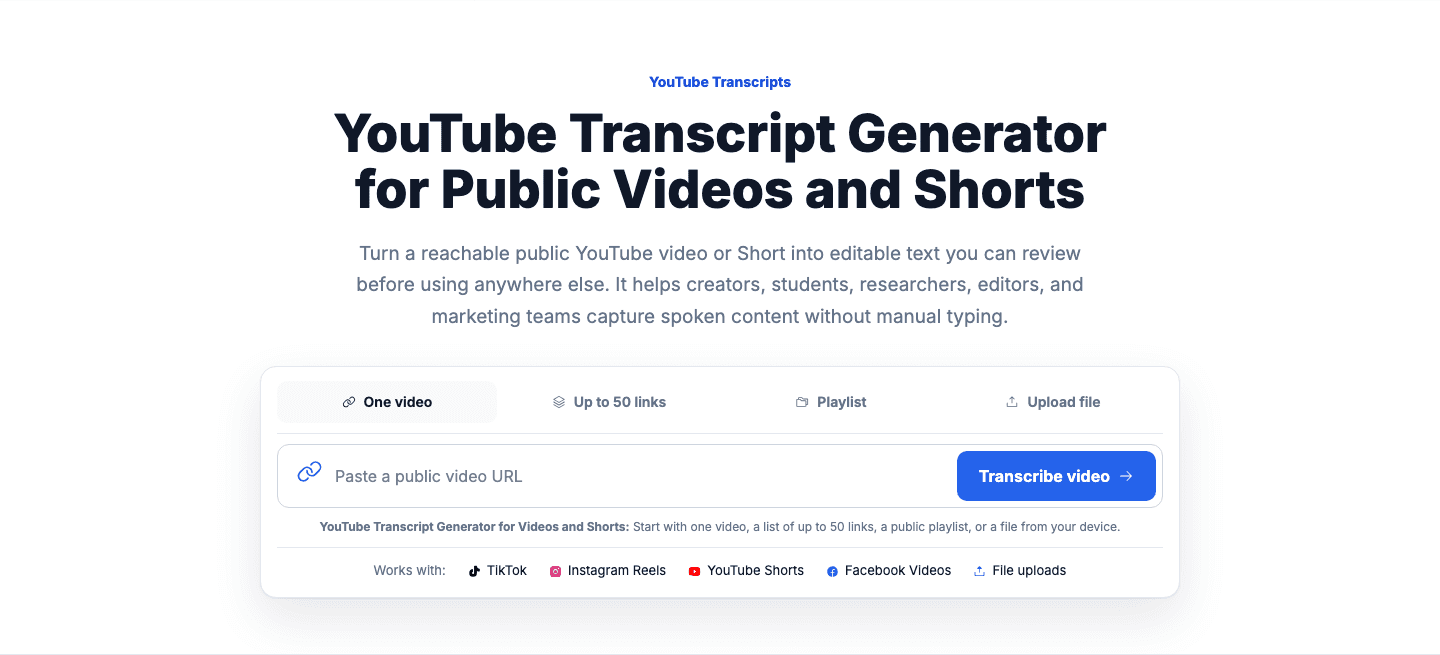
Start with one video, a list of up to 50 links, a public playlist, or a file from your device.

Works with: TikTok Instagram Reels YouTube Shorts File uploads

Supported sources

YouTube TikTok Instagram Facebook Audio / video uploads

Private and local network video links are not accepted.
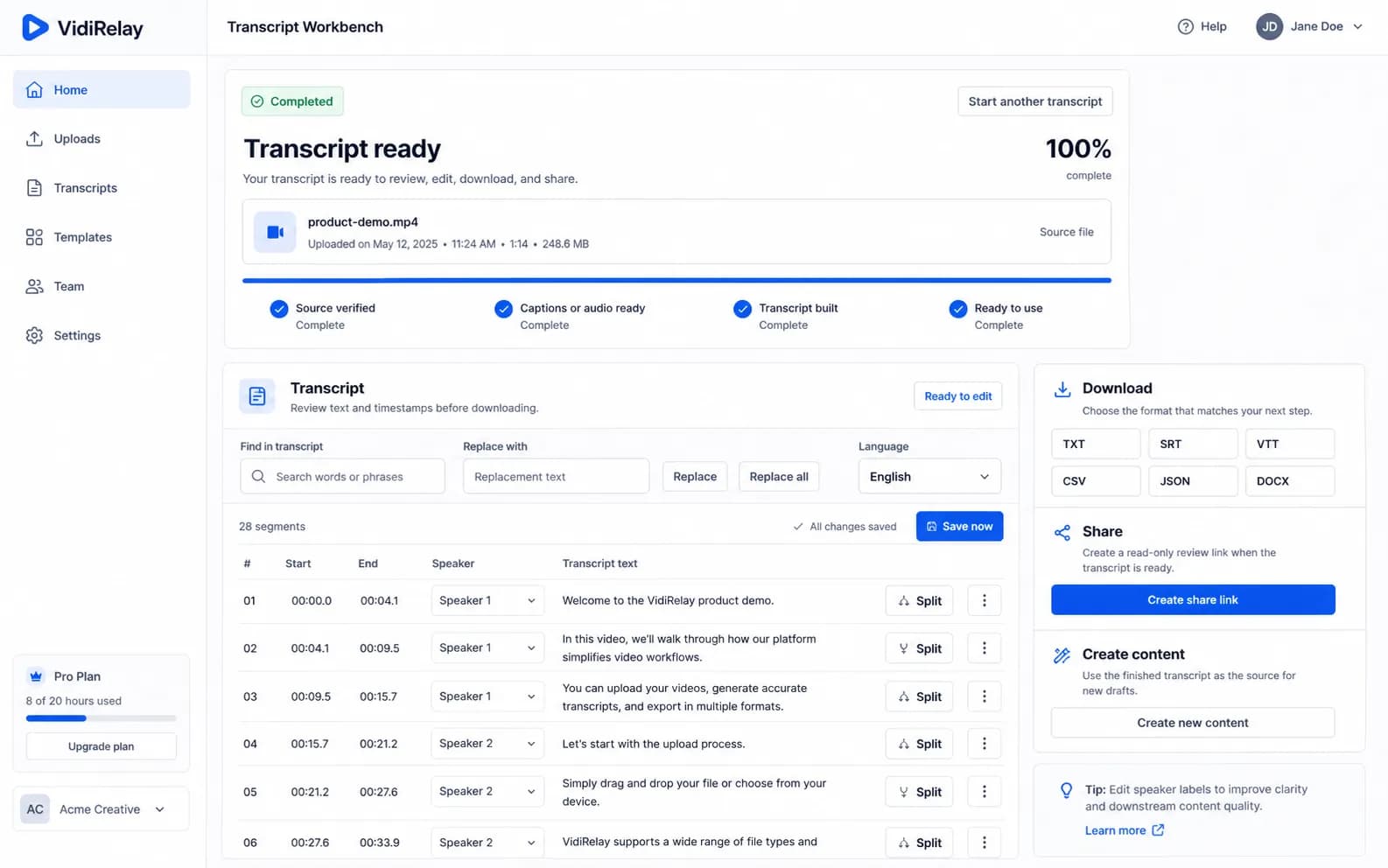
VidiRelay transcript workspace with a video queue, transcript search, export controls, and content tools
YouTubePublic video18:24

A transcript you can actually work with

We check the source before reading available captions.
Each transcript segment keeps its time range.
Review names and numbers, then add speaker labels if you need them.
Export subtitles or a document when ready.

How it works: YouTube video

From link to clean transcript in 3 simple steps.
  1. 1Bring the videoPaste one link, add a batch, import a playlist, or upload an audio or video file.
  2. 2Get the wordsVidiRelay turns the source into readable, timestamped transcript segments.
  3. 3Make it yoursCorrect names, adjust timestamps, search the transcript, and save the version you need.
See how it works for other sources
The future of work | Amy WebbYouTube · 18:24 · Public video
Each transcript segment keeps its time range.
Review names and numbers, then add speaker labels if you need them.
Export subtitles or a document when ready.

Export in the format you need

One transcript. Many possibilities.

TXTDOCXSRTVTTCSVJSON
More export formats

Editable transcript. Built for real work.

Keep the transcript useful after it is created.

BIH2Shortcuts
We check the source before reading available captions.
Each transcript segment keeps its time range.Highlight
Review names and numbers, then add speaker labels if you need them.Note
Export subtitles or a document when ready.

Built for every kind of knowledge worker

Creators

Save the words behind useful videos, turn them into new scripts, and keep every source ready for the next edit.

  • TikTok, Instagram, YouTube, and Facebook links
  • Audio and video file uploads
  • Batch and collection imports

Marketing and SEO teams

Compare messaging, collect searchable video text, and create content briefs without losing the original source.

  • Editable timestamped segments
  • Transcript search and saved history
  • Folders for campaigns and creators

Agencies and research teams

Process client links in batches, organize transcript history, and move approved work into shared review.

  • TXT, SRT, VTT, CSV, JSON, and DOCX
  • Subtitle and document downloads
  • Summaries, hooks, captions, and rewrites

Accuracy you can trust

Use public links or your own media. Every completed result keeps the transcript, timestamps, and download options together.

1–50Links per batch6Export formatsEnhancedPunctuation, timestamps & editable labels

Limitations: Private and local network video links are not accepted.

We only work with public sources

VidiRelay accesses publicly available content only.

  • Supported links:Public TikTok, Instagram Reels, YouTube, YouTube Shorts, and Facebook video URLs.
  • Uploaded files:MP4, MOV, WebM, MP3, WAV, M4A, TXT, SRT, and VTT files within the listed size limits.
  • Transcript output:Editable text segments with timestamps, source details, status, and saved history.
  • Downloads:TXT, SRT, VTT, CSV, JSON, and DOCX files from each completed transcript.
  • Privacy:Private links and local network URLs are blocked, and account or payment secrets stay off the page.
Read our privacy policy

Frequently asked questions

Answers about supported sources, processing time, downloads, uploads, content tools, and privacy.

VidiRelay is an independent third-party tool and is not affiliated with, sponsored by, or endorsed by TikTok, Instagram, YouTube, Meta, or any other platform.

Which platforms are supported?

TikTok, Instagram Reels, YouTube Shorts, YouTube videos, Facebook videos, and uploaded audio or video files.

How long does a transcript take?

Timing varies by source access, media length, and queue activity. Uploaded media and sources that need full transcription usually take longer than videos with usable captions.

Can I process batches?

Yes. Batch mode accepts up to 50 URLs and creates an individual result for each accepted link.

Can I upload files?

Yes. Common audio and video formats use the same editable transcript and download workflow.

What can I download?

Every completed transcript includes TXT, SRT, VTT, CSV, JSON, and DOCX downloads.

What can I create from a transcript?

Use the transcript to create summaries, hook ideas, captions, script rewrites, briefs, and analysis.

Bring your next video.

Start with one link, then scale the same workflow when you need more.

Start with one video, a list of up to 50 links, a public playlist, or a file from your device.

Works with: TikTok Instagram Reels YouTube Shorts File uploads