Add audio file
Upload the episode segment and open the transcript once ready.
Audio transcription
Turn audio to text from a file on your device and get transcript text you can work with right away. It suits creators, interviewers, researchers, podcasters, and editors who need spoken words in a usable written format.
Audio to Text Conversion for Editable Transcripts: Start with one video, a list of up to 50 links, a public playlist, or a file from your device.
Audio to text means uploading an audio file and converting spoken words into transcript text you can read, review, and edit before publishing. A good audio transcription workflow also gives you timestamps and export options so the transcript fits editing, captioning, research, or writing tasks.
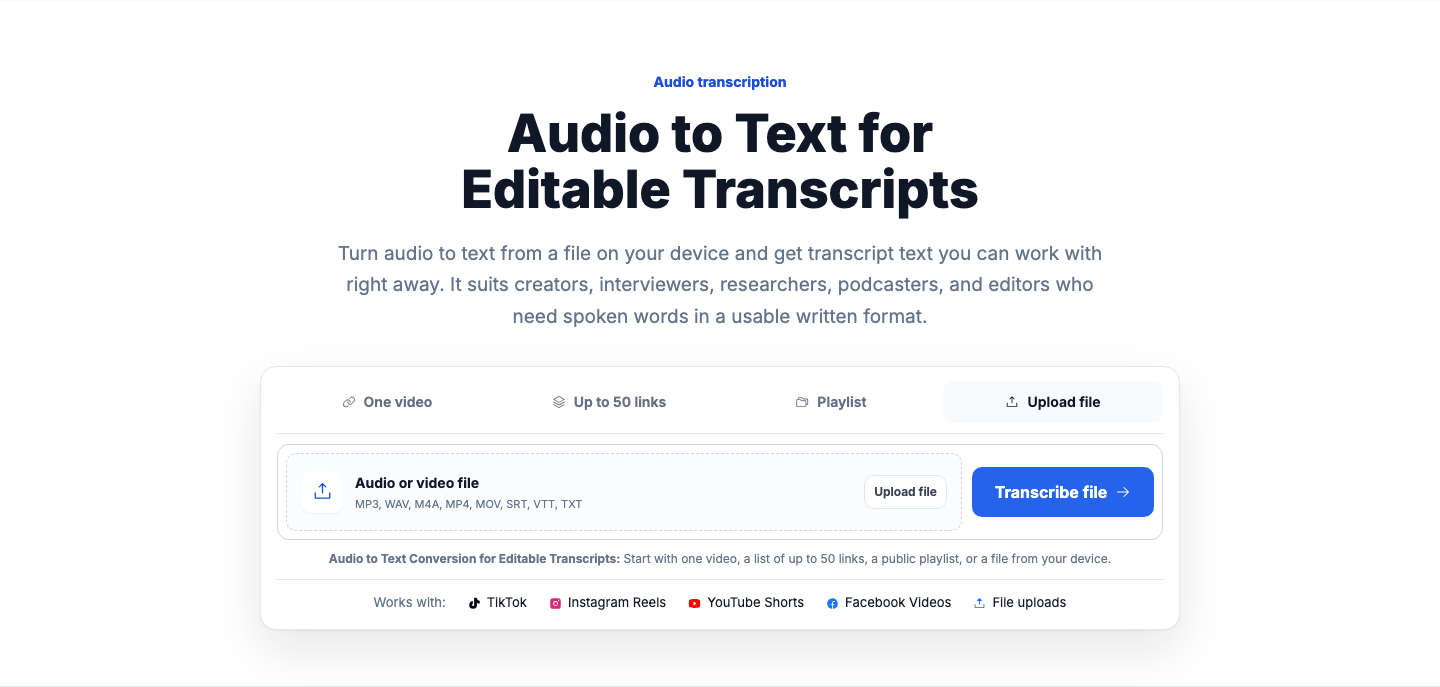
Upload the episode segment and open the transcript once ready.
Review names, titles, and any words that sound similar.
Save as TXT for quick notes or DOCX for shared edits.
Worked example
These examples cover common audio files that need reviewable text for interviews, meetings, and editorial work.
Convert audio into a readable transcript, review timestamps, and export the result for notes, editing, or subtitle preparation.
The process starts from an uploaded recording and ends with editable transcript text.
Pick an audio file from your device and upload it to begin. The file is validated first so you know whether it can be processed before a transcript job is created.
Once transcript text is produced, open it and read through the result with timestamps. Make edits where names, phrasing, or formatting need cleanup before you share or publish anything.
Download the transcript in the format that fits what you are doing next. You can also use the transcript for summaries, captions, rewrites, SEO briefs, or content analysis.
The page focuses on what matters when you upload a recording for transcription.
Choose the recording you already have instead of hunting for a public link. The file is checked before a transcript job starts, which helps catch unsupported or incomplete uploads early.
You can read through the transcript, check timestamps, and edit wording where needed. That matters for interviews, podcasts, notes, and quoted material that need a final human pass.
When the transcript is ready, you can export it as TXT, SRT, VTT, CSV, JSON, or DOCX-ready text. That gives you options for writing, caption work, research logs, and editing handoff.
A few page-specific details can help you get a better result from audio transcription.
A few constraints are normal with audio to text, and it helps to know them before you start.
FAQ
Recordings with clear speech and limited background noise are usually easier to review afterward. Interviews, voice notes, podcast recordings, and spoken research sessions are common fits.
Yes, you can review and edit the transcript before publishing or exporting it. That gives you a chance to fix names, punctuation, speaker wording, and other details.
The file is validated before a transcript job is created, so unsupported or incomplete uploads can be stopped early. Credits are charged only after transcript text is produced successfully.
You can export completed transcripts as TXT, SRT, VTT, CSV, JSON, and DOCX-ready text. The best choice depends on whether you need plain reading text, captions, analysis, or a document handoff.
What to try: Use a valid source that can be opened and processed normally
What to try: Choose a clearer recording or improve the audio before retrying
What to try: Review the transcript and correct unclear sections manually
What to try: Use audio with clearer speech segments for more useful output
What to try: Verify the file or link before starting transcription
For transcription when the source includes video
To convert transcript outputs into subtitle formats
For public YouTube speech transcription
For public TikTok clip transcription
Official reference for VTT subtitle formatting
Reference for SRT subtitle file structure and usage